
Training plans for boulderers Training information should be free.
So the plan is. Answer seven questions and get four to eight weeks of sessions, with the sets, rest and injury risk of every exercise.
Where do you fall off?
- My fingers give out on small holds
- I can't catch the big moves
- I fade after a few hard moves
- I pump out early in a session
- I've got a trip or a project to peak for
- I've got a comp coming up
- I'm not sure, I just want to get better
About a minute · no email needed to see your plan

Free on iPhone. The guided timer's free for your first week, then Pro from €2.50 a month, billed yearly.
“My fingers give out on small holds”
Week 1 · Strength block
- M
- T
- W
- T
- F
- S
- S
Mon · On the wall59 min
- Progressive limit boulder ramp20 min
- Finger maintenance9 min
- Limit movement bite30 min
“I can't catch the big moves”
Week 1 · Power block
- M
- T
- W
- T
- F
- S
- S
Mon · On the wall60 min
- Progressive limit boulder ramp20 min
- Contact strength primer10 min
- Limit movement bite30 min
“I fade after a few hard moves”
Week 1 · Power Endurance block
- M
- T
- W
- T
- F
- S
- S
Mon · On the wall60 min
- Wall ramp15 min
- 4x428 min
- Wrist and forearm stretch6 min
- Lat and pec doorway stretch6 min
“I pump out early in a session”
Week 1 · Endurance block
- M
- T
- W
- T
- F
- S
- S
Mon · On the wall60 min
- Progressive limit boulder ramp20 min
- Aerobic restoration traverse34 min
- Wrist and forearm stretch6 min
“I've got a trip or a project to peak for”
Week 1 · Performance block
- M
- T
- W
- T
- F
- S
- S
Mon · On the wall59 min
- Progressive limit boulder ramp20 min
- Finger maintenance9 min
- Overlapping links30 min
“I've got a comp coming up”
Week 1 · Performance block
- M
- T
- W
- T
- F
- S
- S
Mon · On the wall60 min
- Progressive limit boulder ramp20 min
- Limit boulder rotation40 min
“I'm not sure, I just want to get better”
Week 1 · Base block
- M
- T
- W
- T
- F
- S
- S
Mon · On the wall60 min
- Full warm-up (floor and wall)15 min
- Perfect boulders in the fewest attempts35 min
- Wrist and forearm stretch6 min
- Behind-the-back towel stretch4 min
Week 1 of 4, with a lighter week at the end. Six more questions fit it to you.
Every plan follows the same rules.
They come from coaching practice and the sports-science literature, and the app and this site run the same ones.
More on how it's built- 01
One main thing to train in each block, with one smaller thing beside it.
- 02
Hard finger days are never back to back.
- 03
Heavy lifting only on days off the wall.
- 04
A lighter week after every few hard ones.
- 05
Climb 6B or below? Most of your training stays on the wall.
- 06
New, or something hurts? The questions ask, and the high-risk finger work stays out.
How it works
An iPhone app, and a planner on this website that uses the same account.
01
Get the plan
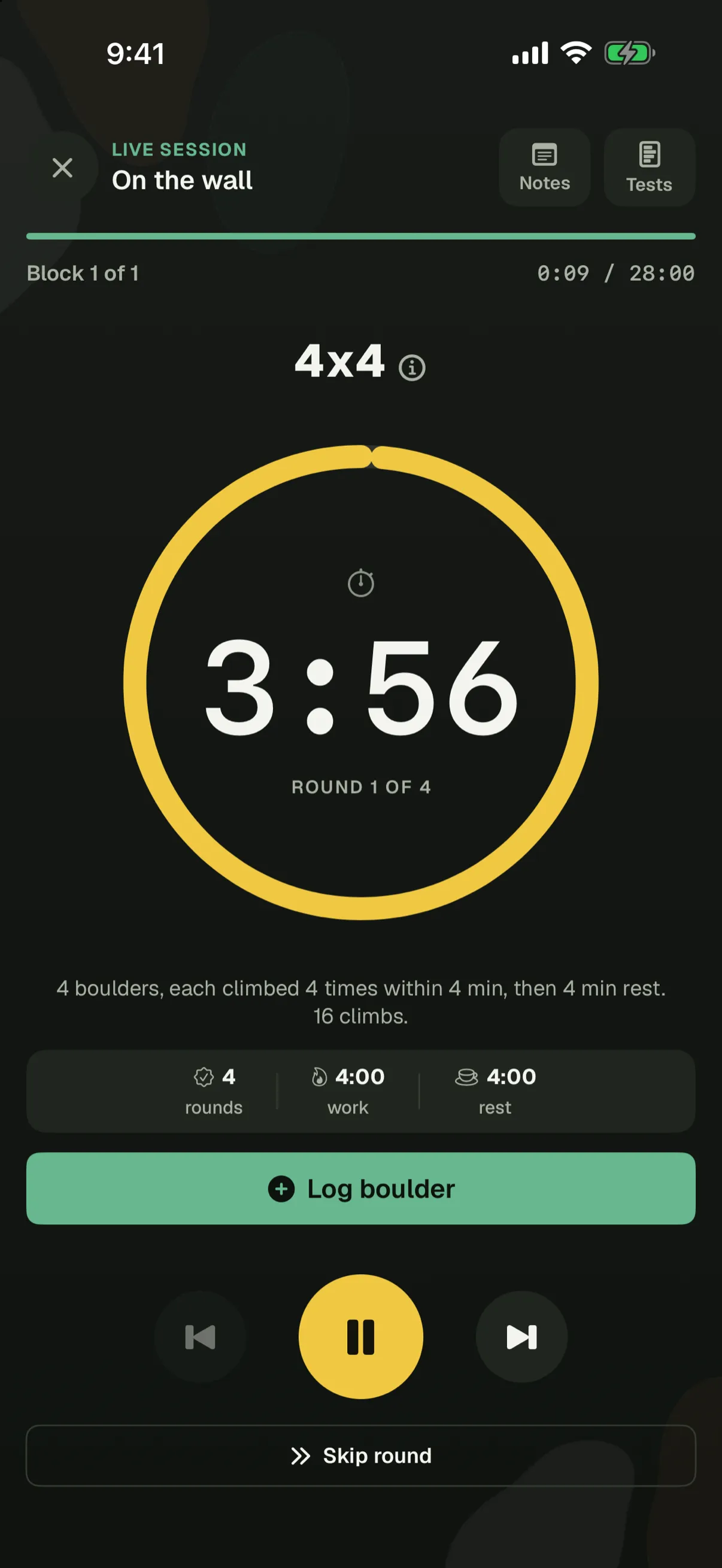
Take the seven questions, or plan your own weeks from 260 exercises. Change any session you like.
02
Run it with the timer
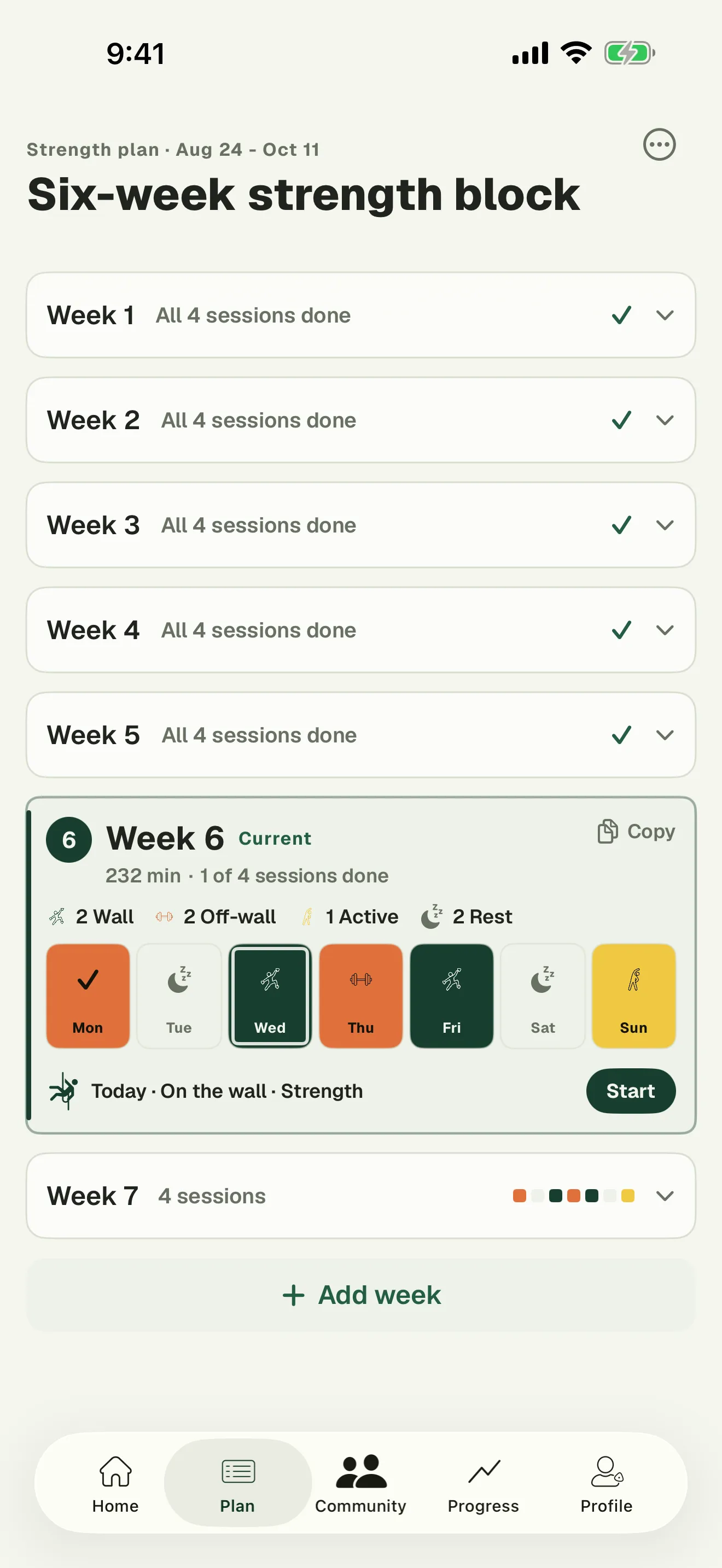
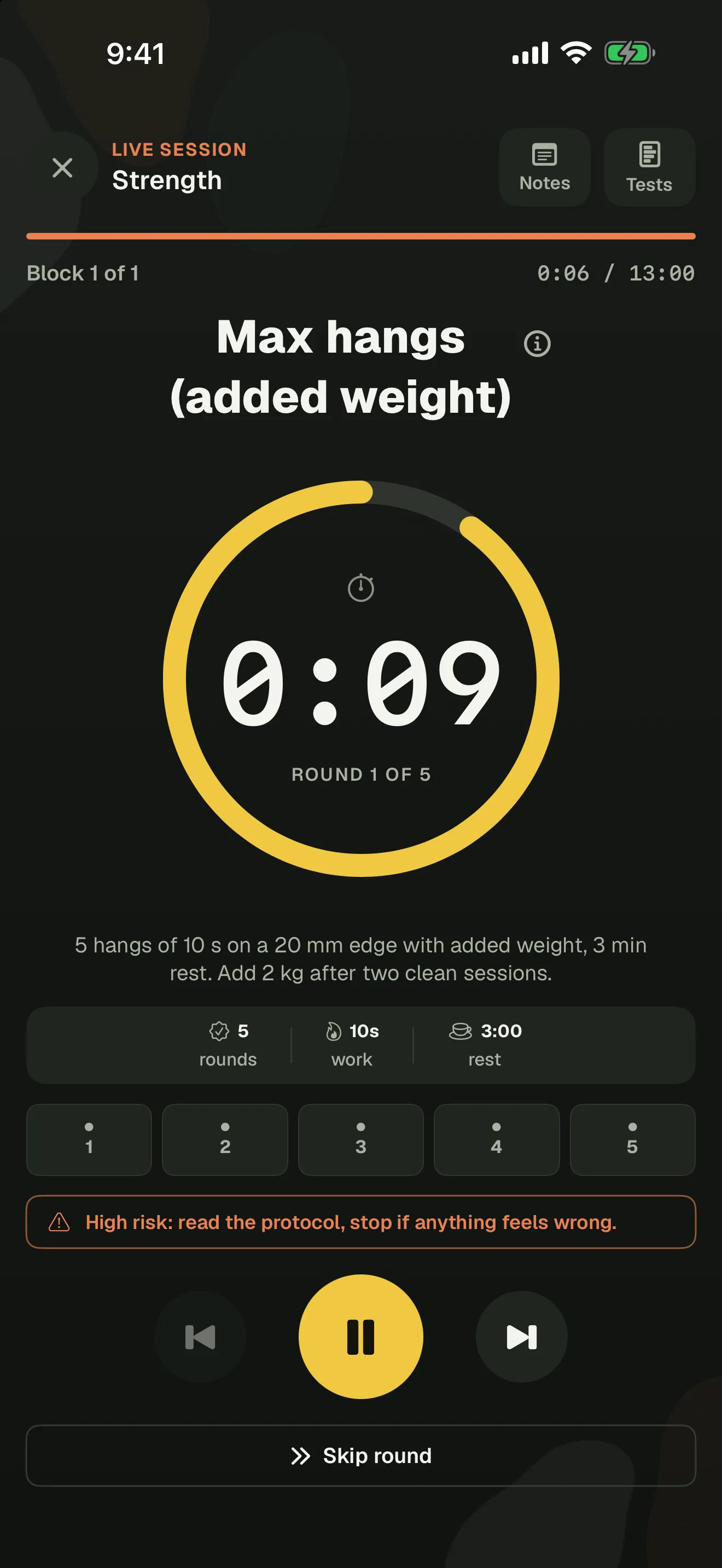
The timer counts every hang, rest and round, and warns you before the high-risk ones. It's free for your first week in the app, then it's Pro.
03
Log it, see what changes
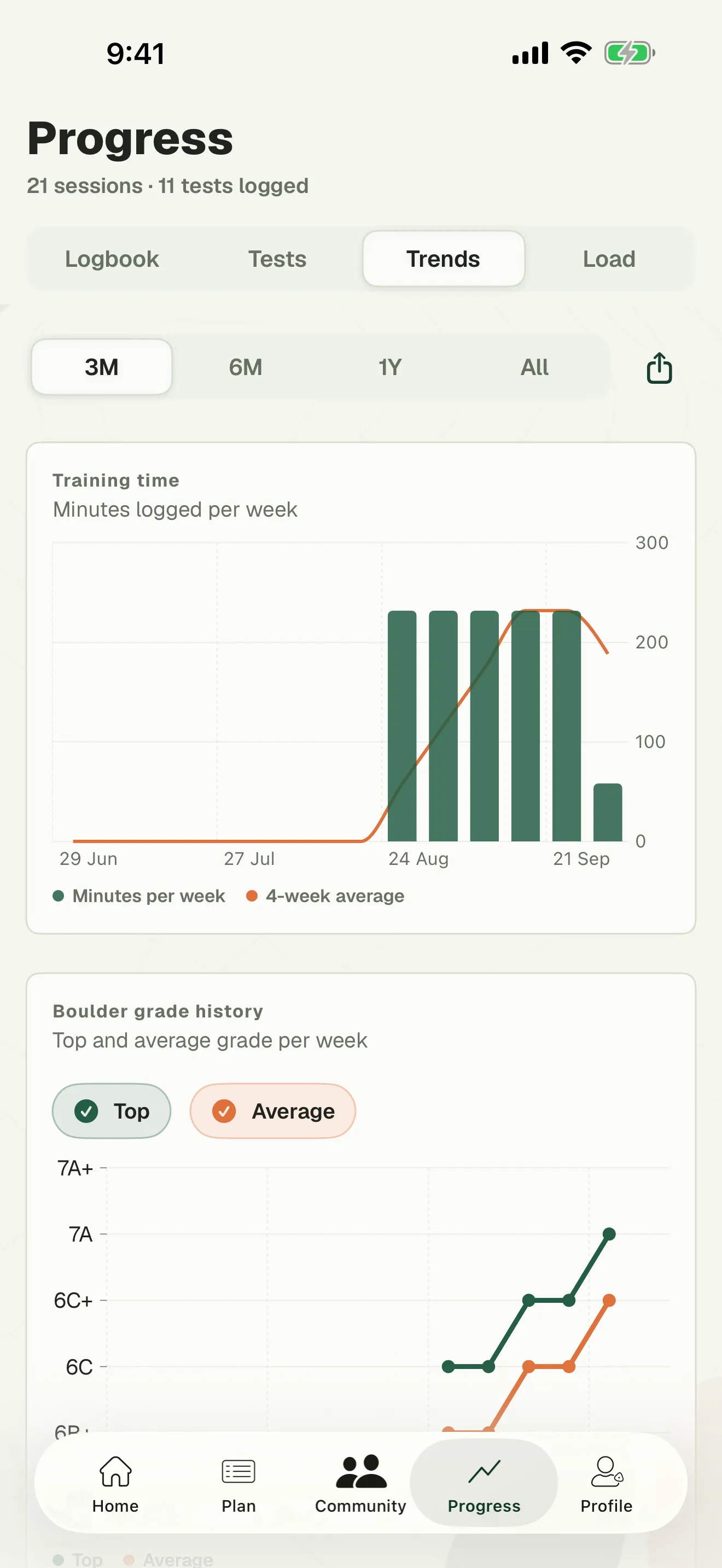
Tick off each session, log your boulders and rate how hard it was. Trends and tests show what's moving. All free.

Who makes it
I hated every training app, so I made the one I wanted.
I also think climbing training information should be free, so the whole catalog is free in the app and every exercise has its own public page on this site. I make Blok Sessions on my own, so questions, ideas and bug reports come straight to me.
Frank BlokdijkBoulderer and coach in the Netherlands
- 0 exercises behind a paywall
- 0 ads, trackers or cookies
- Write to me hello@bloksessions.com
Pro
Hands off the phone.
Pro runs the session for you. The ring counts every hang, rest and round, so the phone can stay on the mat. It also drafts your next block from your goal, days and minutes, and shows whether this week's heavier than usual.
Free, for good
- The plan from the seven questions
- All 260 exercises
- The planner, in the app and the browser
- Your logbook, tests and trends
- The hangboard timer and calculators
Pro
- Guided sessions with the timer
- The plan generator
- Training load
- €4.99 a month
- €29.99 a year
- €79.99 once
Yearly starts with 7 days free, and the guided timer's free for your first week in the app anyway. Cancel in your Apple ID settings. The one-time price never renews.
4x4
Climb
3:02
Round 1 of 4
4 × 4:00 on · 4:00 off
For climbing coaches
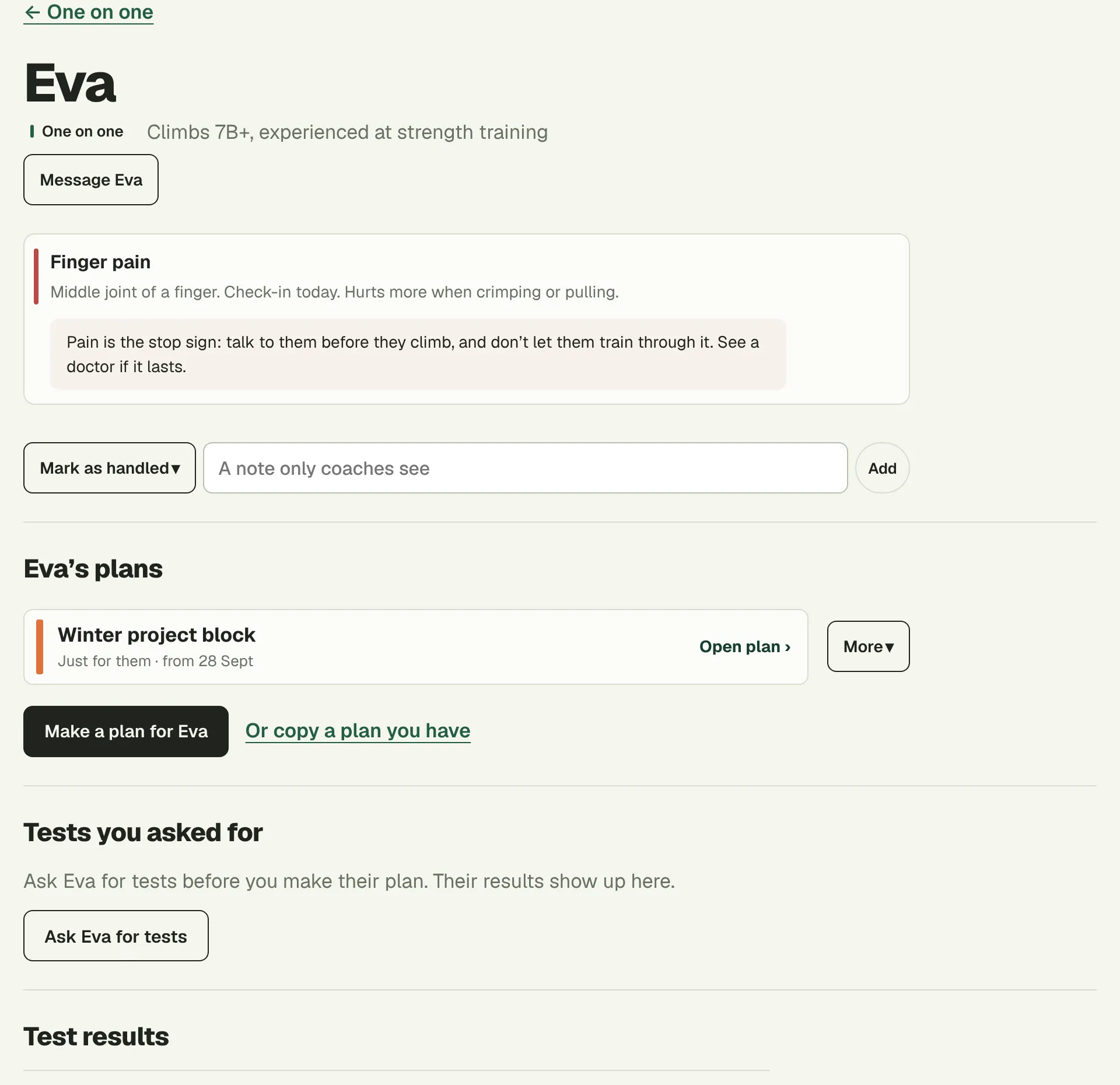
Coach climbers one on one, or a whole squad.
Write their plans and they show up in each climber’s app, session by session. You see what they trained and who has a sore finger before they climb. Free for up to 5 climbers.
Questions
What's free?
The training information: the plan from the seven questions, every exercise, the planner in the app and on this site, your logbook, tests and trends. Pro pays for the guided timer, the plan generator and training load, and the timer's free for your first week in the app.
Who is it for?
Boulderers who want to train on purpose, from their first year on. The quiz asks how long you've climbed and whether anything hurts, and leaves the high-risk exercises out when it should. Every exercise shows its injury risk, and the ones that need a year or two of climbing first say so. Skip it if you'd rather someone else decided every session.
Does it coach me?
No. There's no AI coach and no video analysis. The seven questions build your first plan from training rules a coach wrote, and it only changes when you change it. Pro's generator drafts the next block from your goal, schedule and time budget, and you edit it from there. If you can afford a coach, get one. Coaches can use the coach area at bloksessions.com/coaches: they write your plan, it shows up in your app session by session, and they see how your training went.
Do I need an account?
Yes, a free one. In the app it doesn't upload your training: that stays on your phone until you switch on backup, which is what lets your log survive a new phone. Plans you make in the browser planner are saved to your account, so they're on our EU server.
Android, or the web?
The app is on iPhone, and the Android app is in review at Google. The planner on this website works in any browser, on Android, Windows or a Mac, with the same account, and plans you change there are in the app the next time you open it.
How do I cancel Pro?
Bought in the app, a subscription is managed by Apple, in your Apple ID settings. Bought on this website, cancel it in the planner under Account → Cancel Pro, or with the link in your purchase email. The one-time purchase never renews, so there's nothing to cancel.
Plan your next block.
Seven questions about where you fall off, how often you climb and whether anything hurts. The plan's free, and so is every exercise in it.
Where do you fall off?
- My fingers give out on small holds
- I can't catch the big moves
- I fade after a few hard moves
- I pump out early in a session
- I've got a trip or a project to peak for
- I've got a comp coming up
- I'm not sure, I just want to get better
About a minute · free
Free on iPhone. The guided timer's free for your first week, then Pro from €2.50 a month, billed yearly.