
How the coach area works
Last updated
The coach area is at bloksessions.com/coach, in your browser. Your climbers use the Blok Sessions app or the same website. It's free for up to 5 climbers.
Getting a climber going takes four steps:
1. Start your coaching area
Log in at bloksessions.com/coach. Choose how you coach, give your coaching a name, and accept the coach terms.
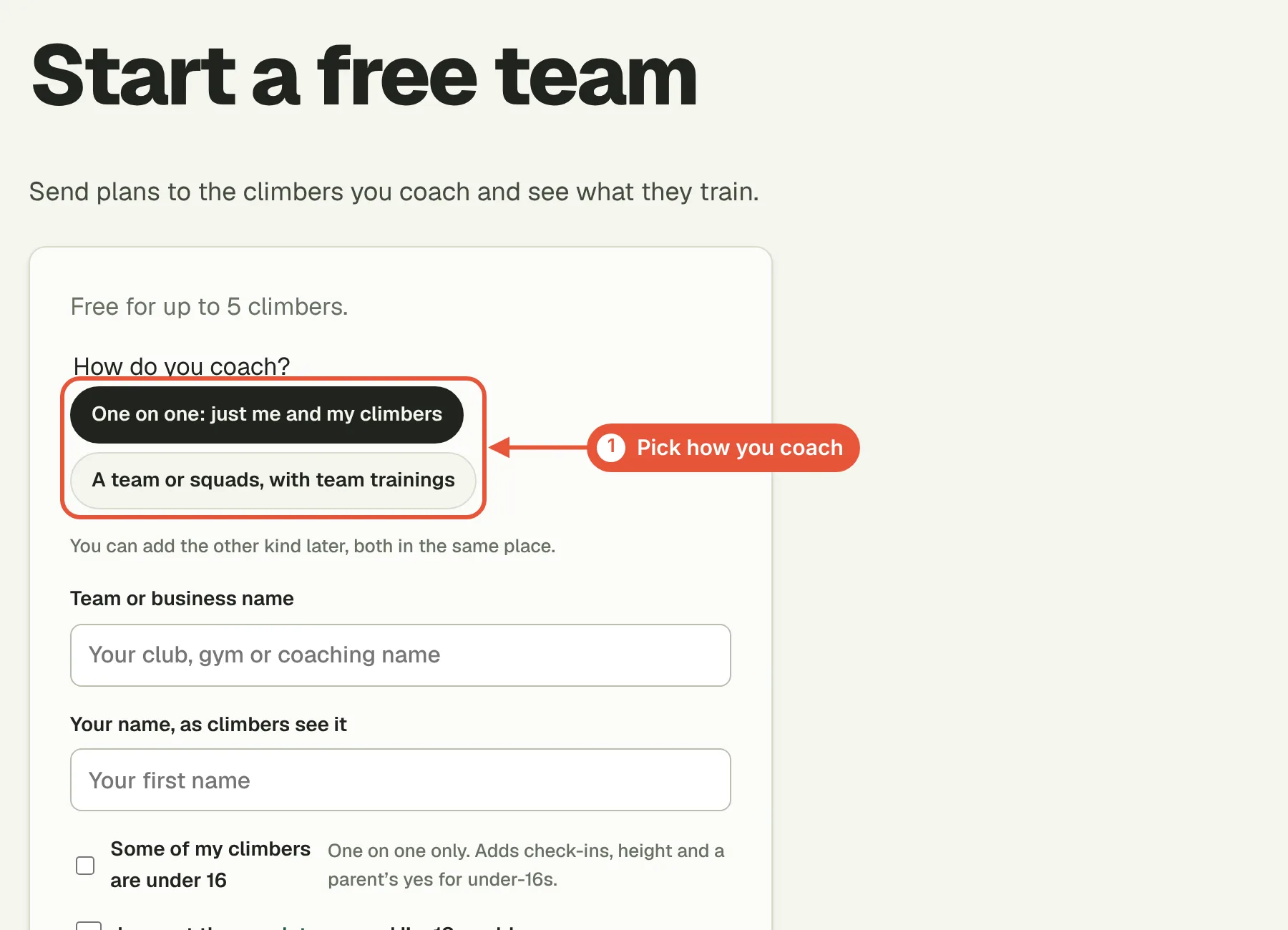
Pick One on one if you coach climbers individually, or A team or squads if you run group trainings. You can add the other kind later, in the same place.
2. Add a climber

On the Climbers tab, choose Add a climber, type their name and choose Add them.
3. Make their plan

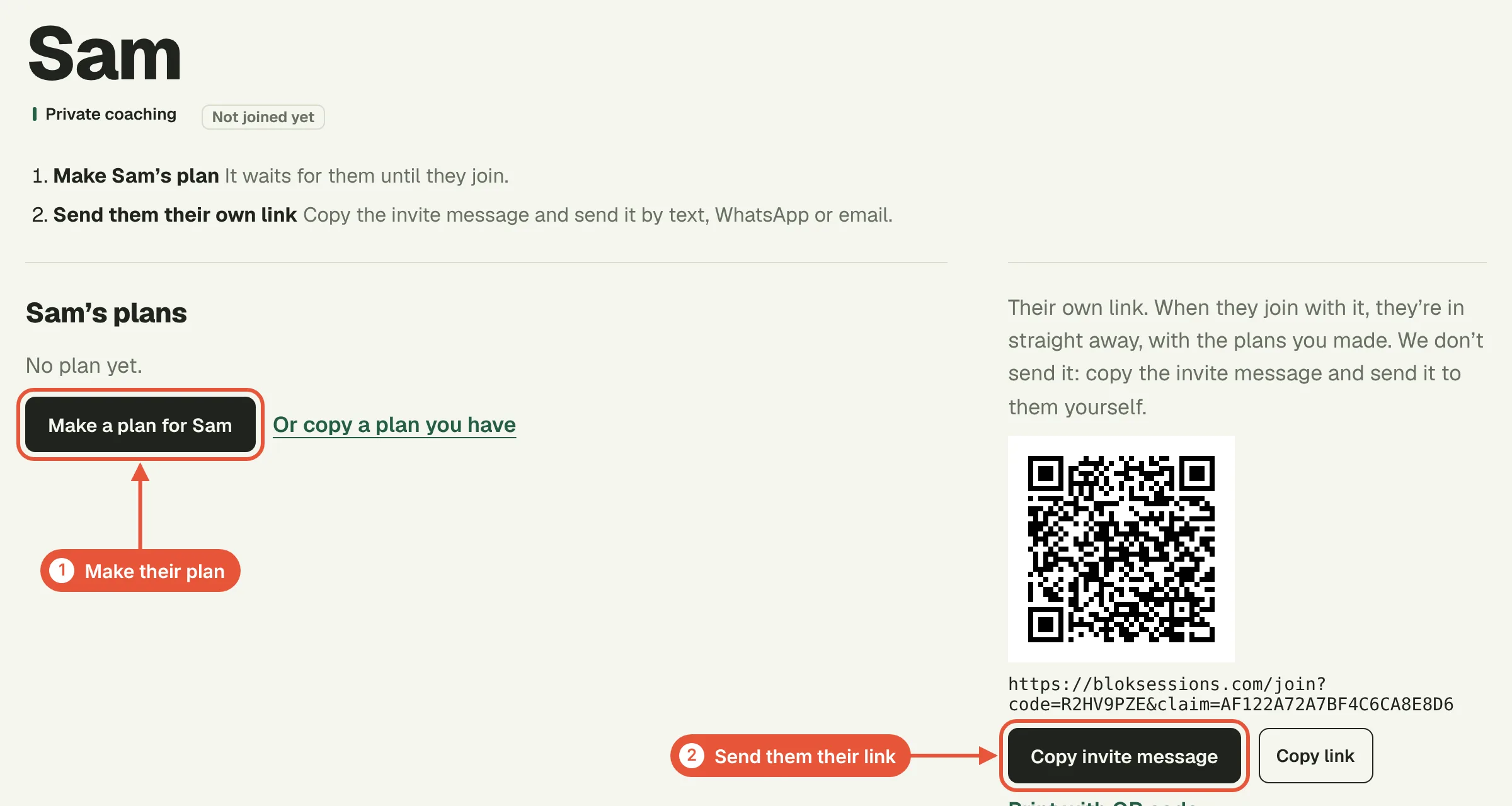

On their page, choose Make a plan for their name, or Or copy a plan you have.
- Set the start date, the training focus and how many weeks.
- Tap the days they train.
- Tap a day, choose + Add exercises and add exercises from the library.
Everything saves as you go. With Every week the same ticked, a change to one Monday changes every Monday. Choose Back to the plan to close a day, and Done when the plan is ready.
4. Send them their link
Every climber you add gets their own link. Choose Copy invite message and send it by text, WhatsApp or email. When they join with it, they're in straight away and their plan is waiting.
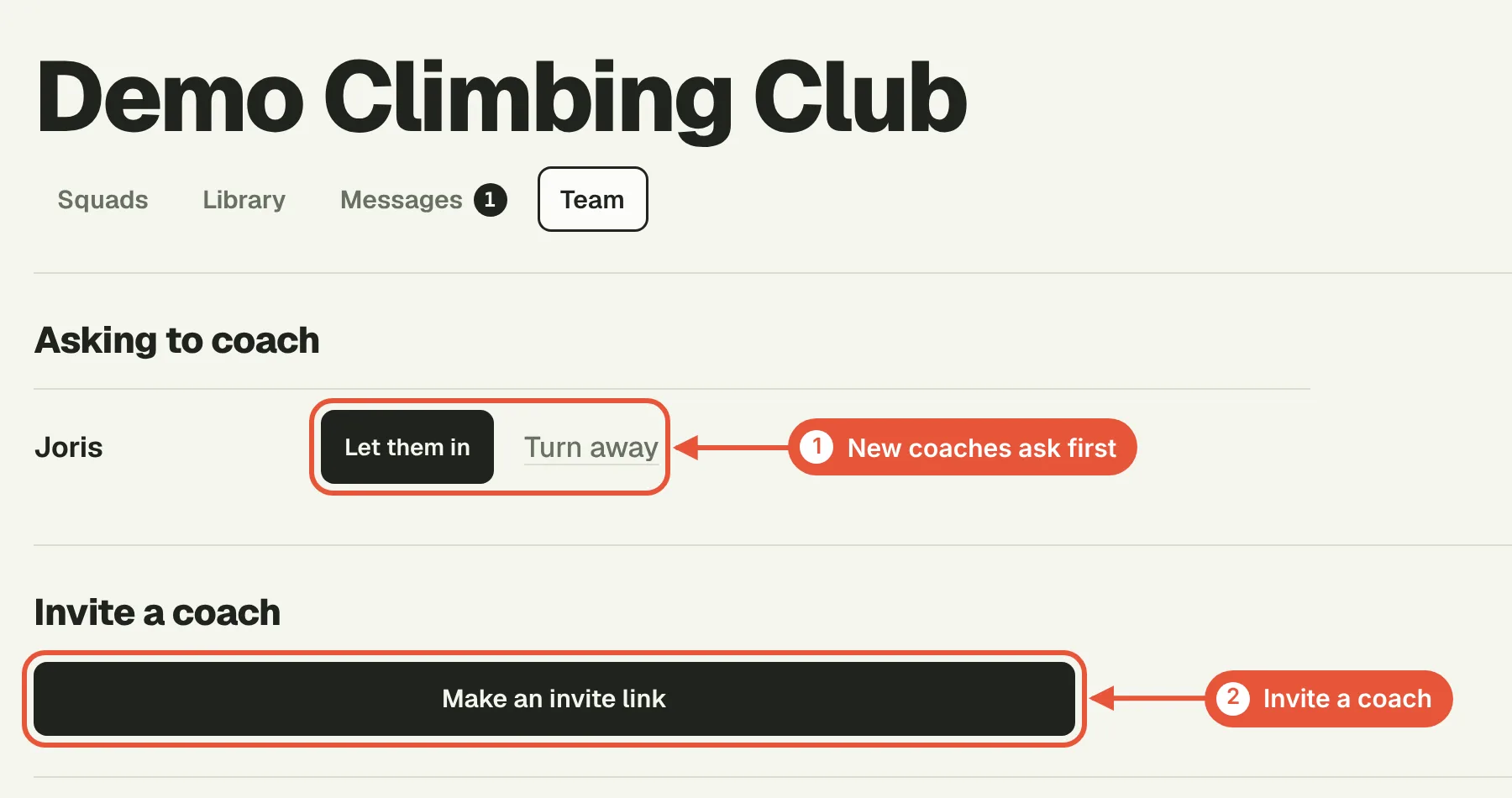
Someone who joins with your area's general code instead asks to join first. You'll see their name above your climbers, with Let them in beside it.
Your own exercises
Open a day in a plan and choose + Create custom exercise. Give it a name, choose where it happens and how it's timed (minutes, or rounds with work and rest), then Save exercise. It goes into that day and stays in your exercises for next time.
Day to day
Click a climber to see their week, check-ins, Workload and logbook. From their page you can message them, write a note only coaches see, ask them for tests, or open their plan to change a session.
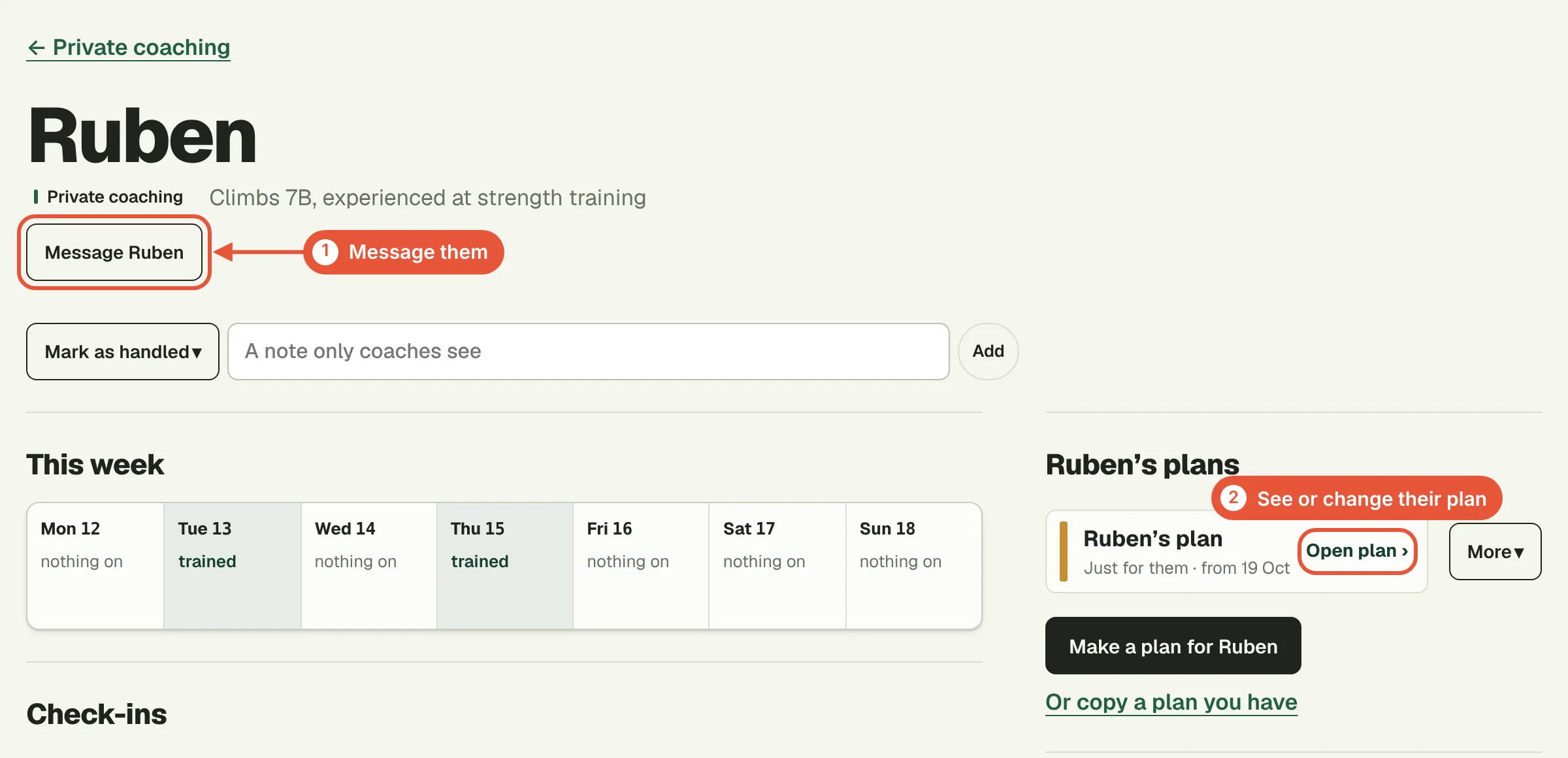
Climbers can move a session to another day themselves, and you see the plan as it is. To give someone a paper copy, open the plan and choose Print.
Coaching squads
A squad is a group you coach together, like "U14" or "Tuesday adults", for adults or for youth.
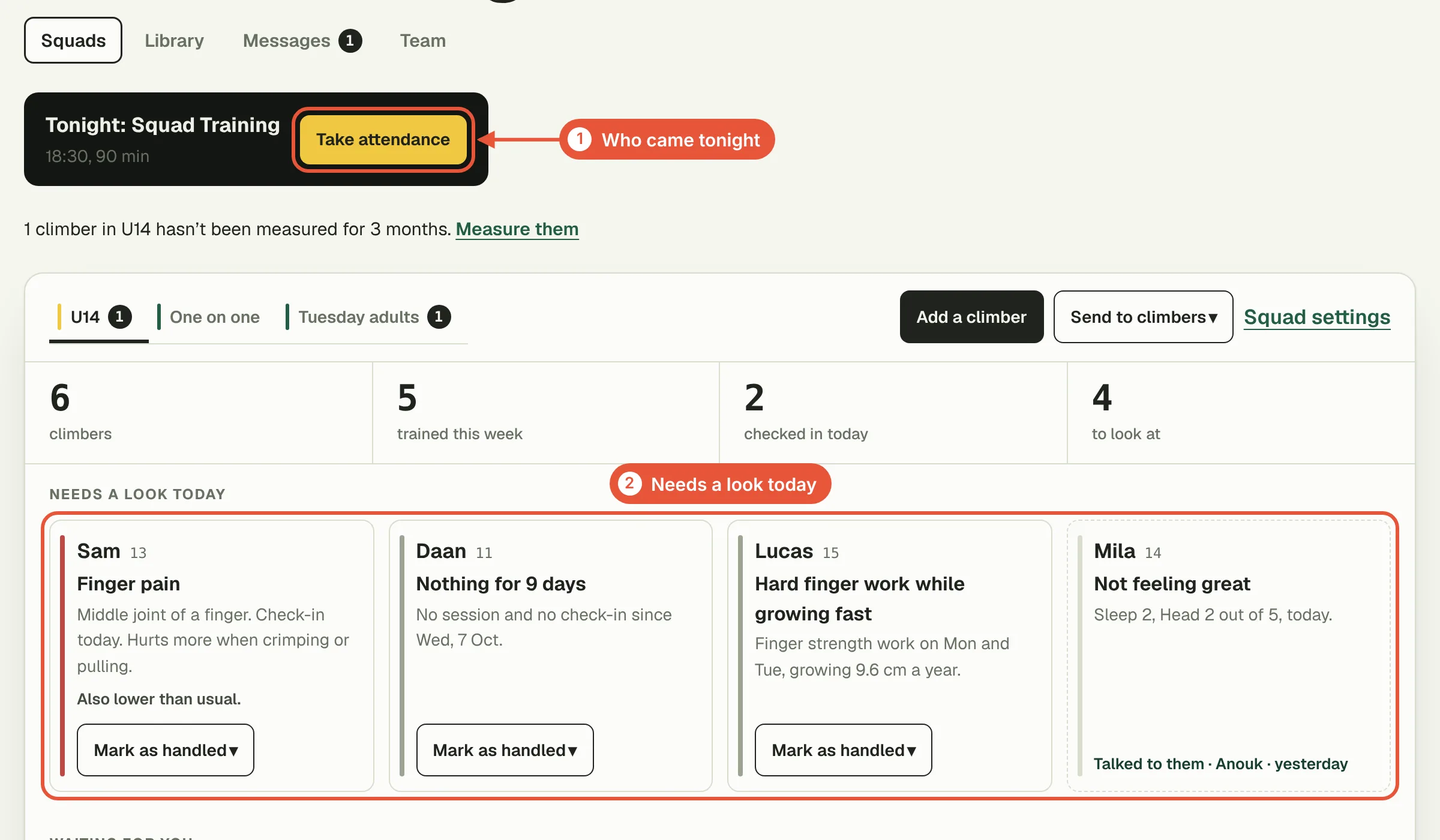
Put your weekly team trainings in the squad's settings. Climbers see them on the day and log them in one tap, and Take attendance ticks off who came.
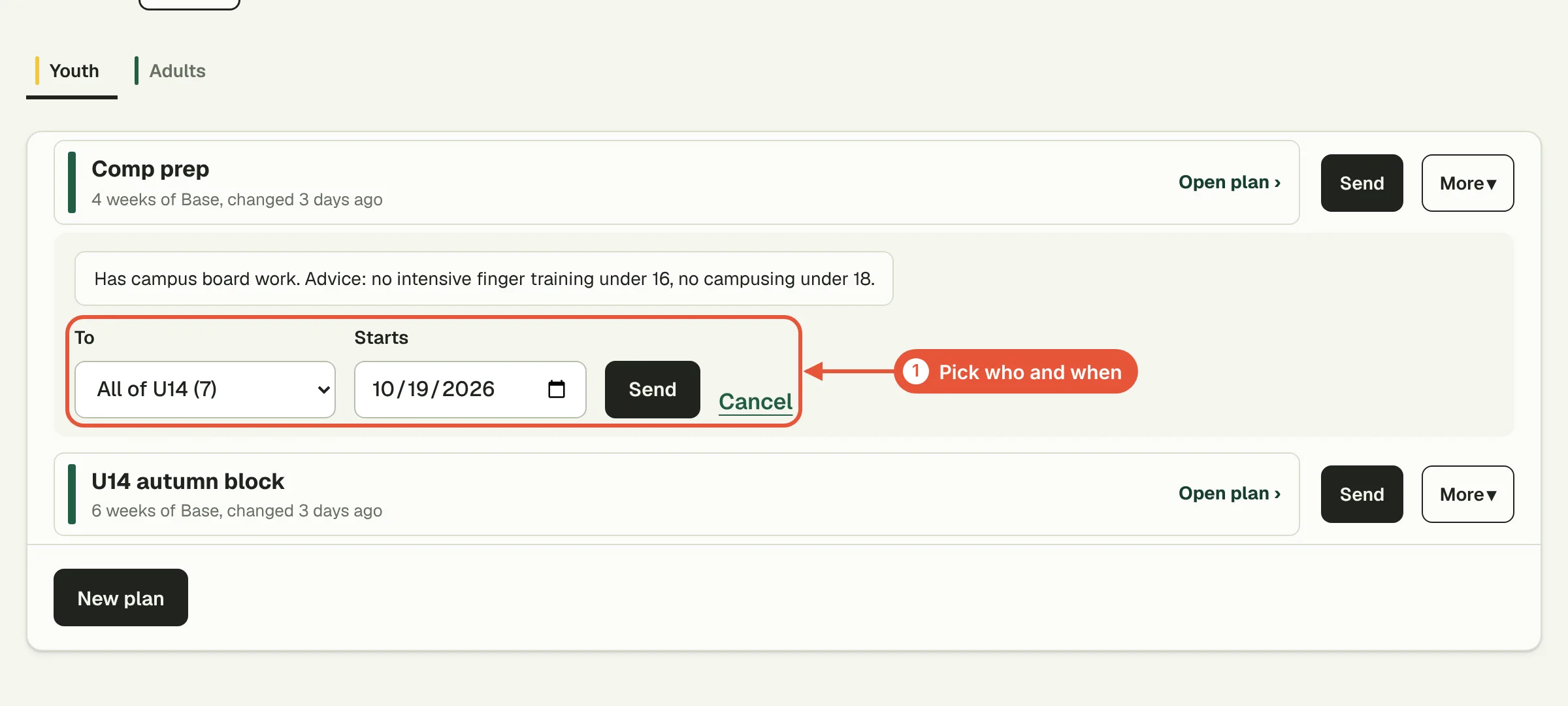
To give a whole squad a plan, open the Library, choose Send, then pick the squad (or some of its climbers) and a start date. Each climber gets their own copy, which you can change for them later.
The squad board shows who needs a look today, then every climber's week and Workload.
Youth squads
A climber under 16 needs a parent's yes before you see anything about them. When they ask to join, you'll see the parent's email address they gave: check it against your club's records before you let them in. Climbers under 13 are added by a parent, as a profile in the parent's account.
Youth squads add a short check-in before training and height measurements. Measure every 3 months: same wall, shoes off, two readings.
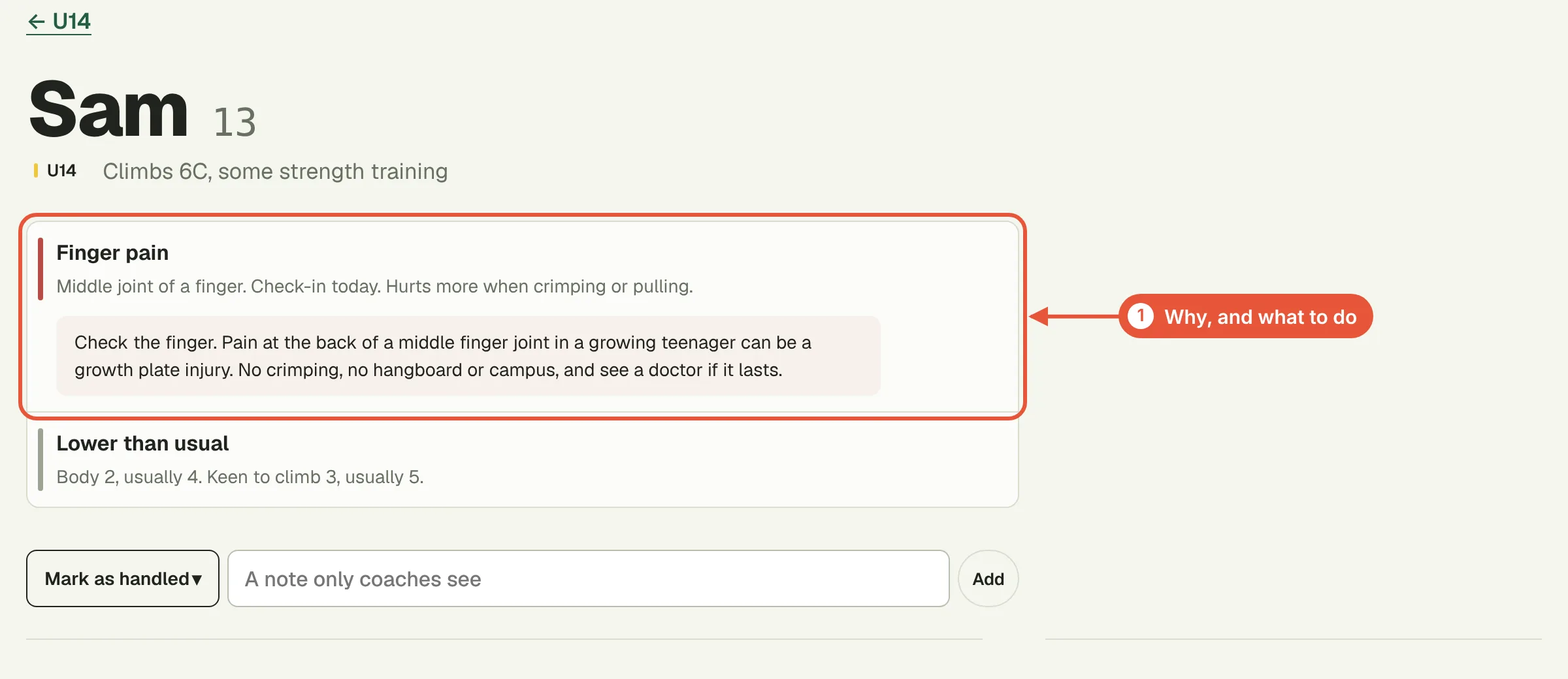
A card under Needs a look today means talk to that climber. Finger pain is the only red flag: no crimping, hangboard or campus, and a doctor if it lasts. The others are hard finger work or campusing while growing fast, check-ins lower than usual, and a week with nothing logged. A flag never says someone can or can't train.
Other coaches
Under Team (Coach settings if you only coach one on one), choose Make an invite link and send it to the coach. They ask to join and you let them in. Head coaches see every squad; other coaches see only the squads you give them.
Prices and privacy
Free covers up to 5 climbers. Paid plans for 25, 50 or 100 climbers, or unlimited, also give your climbers the guided timer for your plans and their own Workload. See the prices, or email hello@bloksessions.com.
Climbers decide what you see by joining, and they can leave whenever they want. Keep what you see inside your team. The privacy policy lists exactly what's shared, and the coach terms say what you agreed to.