
How do I know if my climbers did their training?

Short answer
Have them log in the same place your plan is, and read it there. In Blok Sessions the plan you write shows up in the climber's app, and each session they log comes back to you against it: what they did, the boulders with grade and goes, how hard it felt and any notes. A squad's page shows everyone's week day by day, and a short check-in before training puts finger pain at the top. You still talk to them, about what you've read rather than to find out.
Coaching climbers? The coach area is free for up to 5 climbers: their plans, what they log and who has a sore finger, in one place.
See the coach areaWhy asking doesn't work
"Did you do Tuesday?" gets a yes. It doesn't tell you they cut the hangboard set short, that they climbed at their limit for two hours instead of one, or that a finger has been niggling since the weekend. Climbers forget, round up and leave out the bad bits, and nobody enjoys being chased.
The fix is old coaching advice: a training diary, read by the coach. The app only makes it quicker to keep and easier to read.
What to look at, and when
Before a session: the check-in
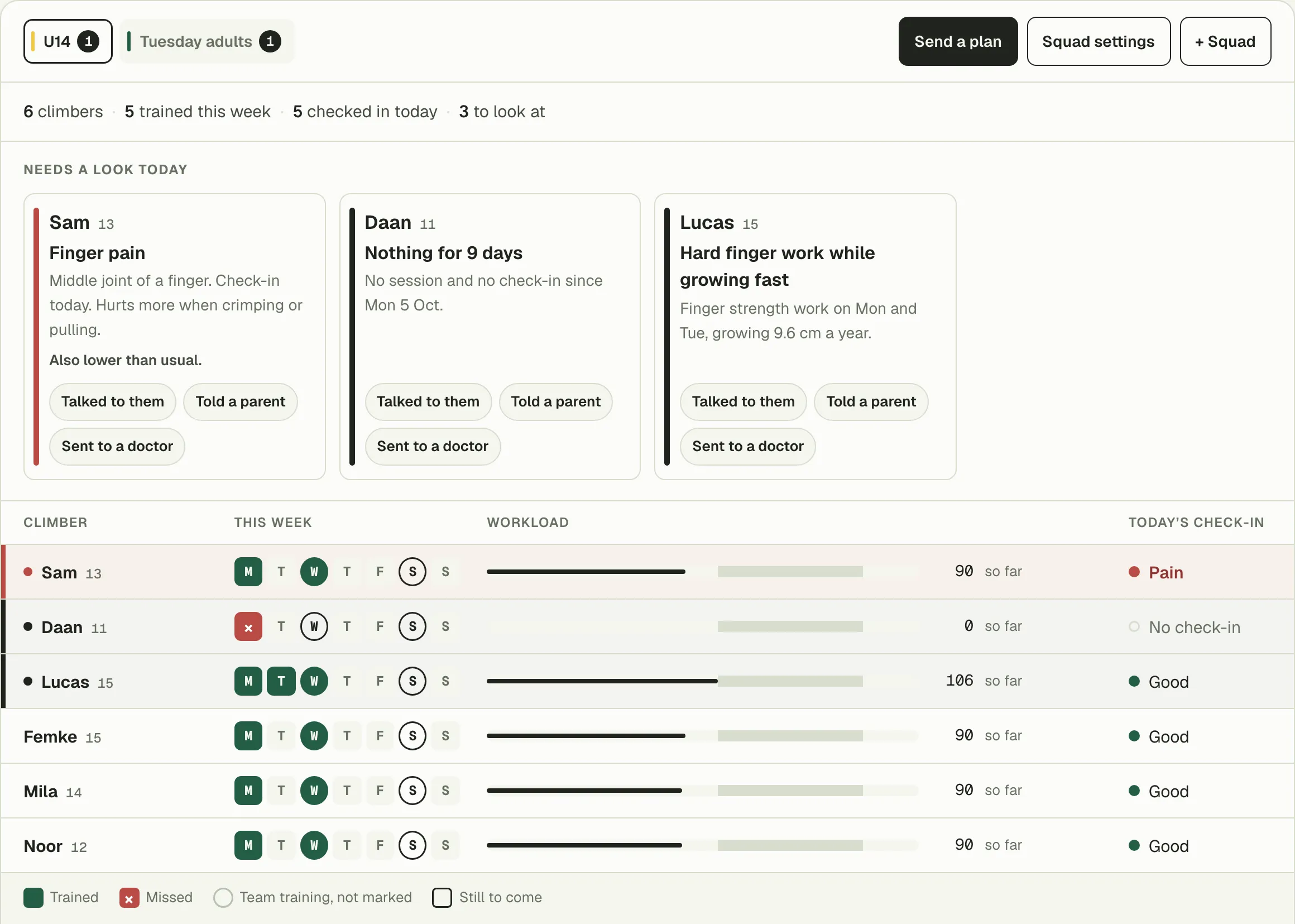
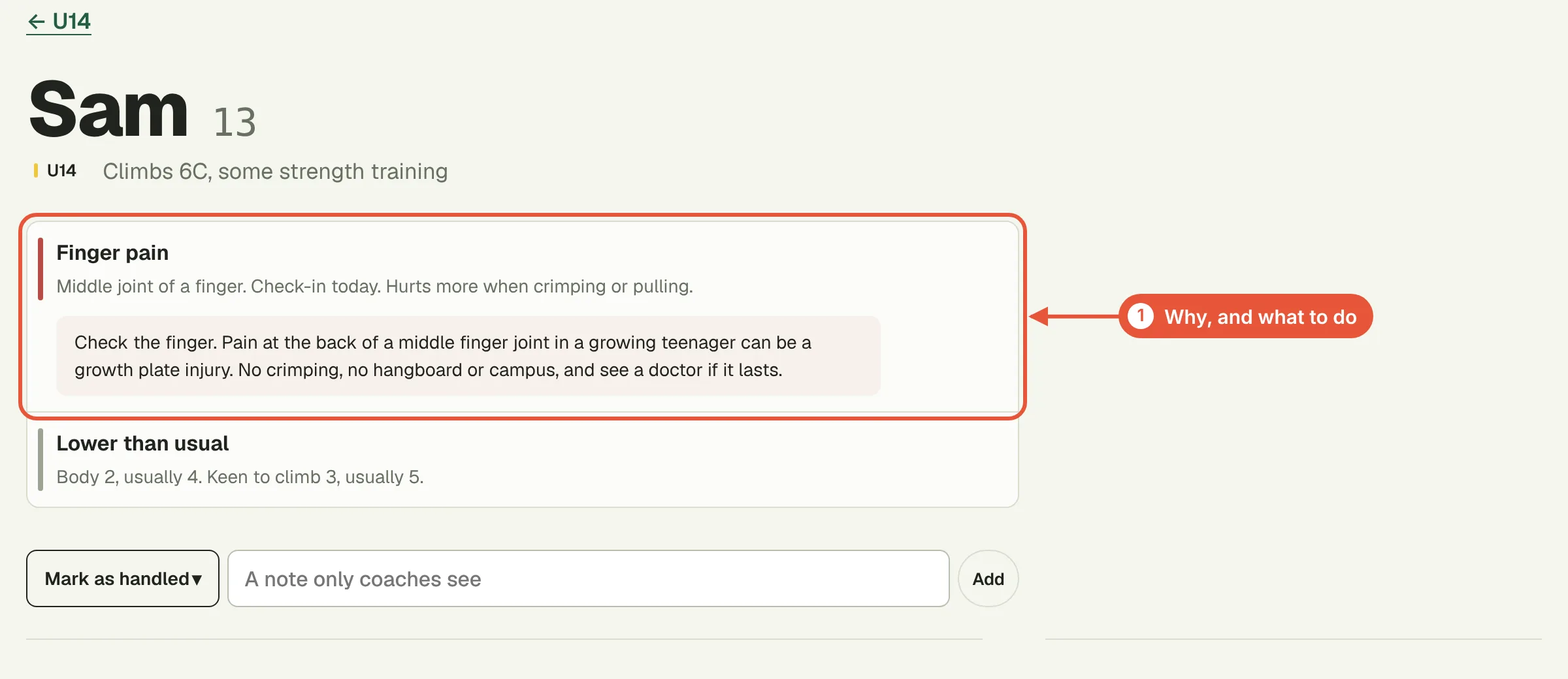
Climbers answer a few quick questions before they train: how they slept, how their body and head feel, how keen they are, and whether anything hurts, and where. All of it can be skipped. Finger pain goes to the top of your screen, so you see it before they warm up and can change today's session from their page.
Once a week: their week at a glance
A squad's page shows each climber's week day by day, marked where they logged. A quiet week stands out without you reading anything.
When something looks off: their page
The sessions they logged against your plan, the boulders with grade, result and goes, the effort they gave each session, and Workload: this week's training against their own usual range, with finger load on its own. A big jump in finger load is worth a question even when they feel fine.
At the end of a block: tests
Ask a climber or the whole squad for the tests you want, finger strength, pull-ups or your own. Each one is ticked off when it's logged, and you compare with the start of the block.
Make logging easy for them
- Plan the sessions you expect, so logging is ticking off a session and adjusting it rather than typing from scratch.
- On a paid coach plan, climbers get the guided timer for your plans free. A session run on the timer goes straight to the log.
- Tell them why you read it. A climber who knows you'll change Thursday because of what they logged on Tuesday keeps logging.
Questions
What do I see of a climber's training?
Their logbook from the last 12 months (sessions, boulders, grades, effort and notes), their tests, Tindeq force tests included, their Workload, the check-ins they send before training, and which sessions of your plan they logged.
What don't I see?
Plans they made themselves, old injuries, their sex, cycle tracking and anything from Apple Health or Health Connect.
What if a climber trains without logging?
Then it doesn't show, and an empty week is your cue to ask. Logging a session takes a minute after training, and a planned session can be ticked off with what they actually did.
Is the pain flag a diagnosis?
No. It shows what the climber reported, so you can talk to them before they climb. It doesn't diagnose anything.
Coach your first 5 climbers free
Write each climber's plan, see what they log and read their check-ins before training. Paid plans start at €10 a month for up to 25 climbers.
Free for up to 5 climbers