
A training app for climbing coaches

Short answer
Blok Sessions has a coach area for climbing coaches, in the browser and the iPhone app. Write a plan for each climber, or send one from your library, and it shows up in their app session by session. What they log comes back to you: sessions, boulders with grade and goes, effort, tests and Workload. A short check-in before training puts finger pain at the top of your screen. One on one or squads, adult or youth. Free for 5 climbers, then €10 a month or €99 a year for up to 25. Climbers use the free app.
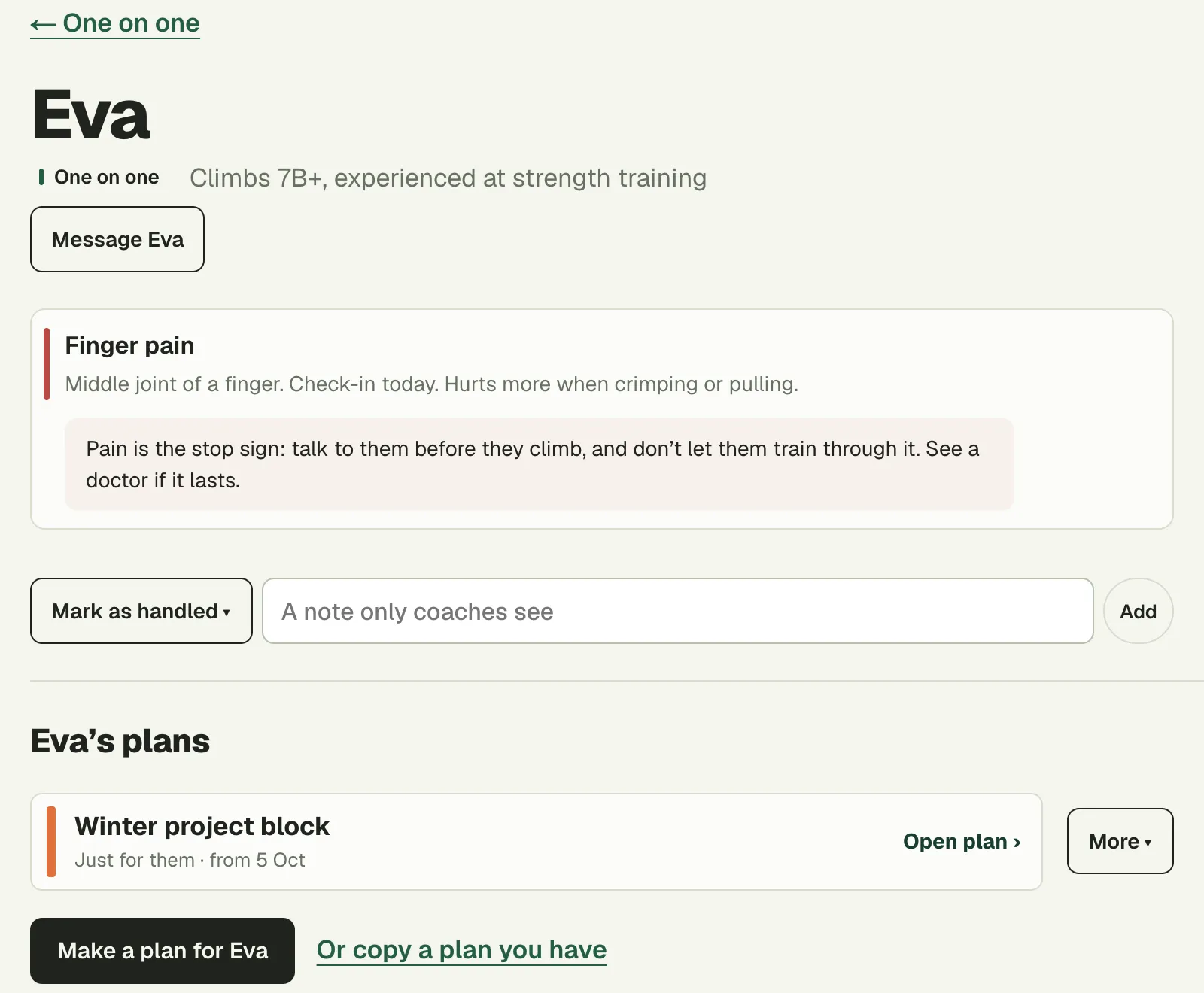
Coaching climbers? The coach area is free for up to 5 climbers: their plans, what they log and who has a sore finger, in one place.
See the coach areaWhat the coach area does
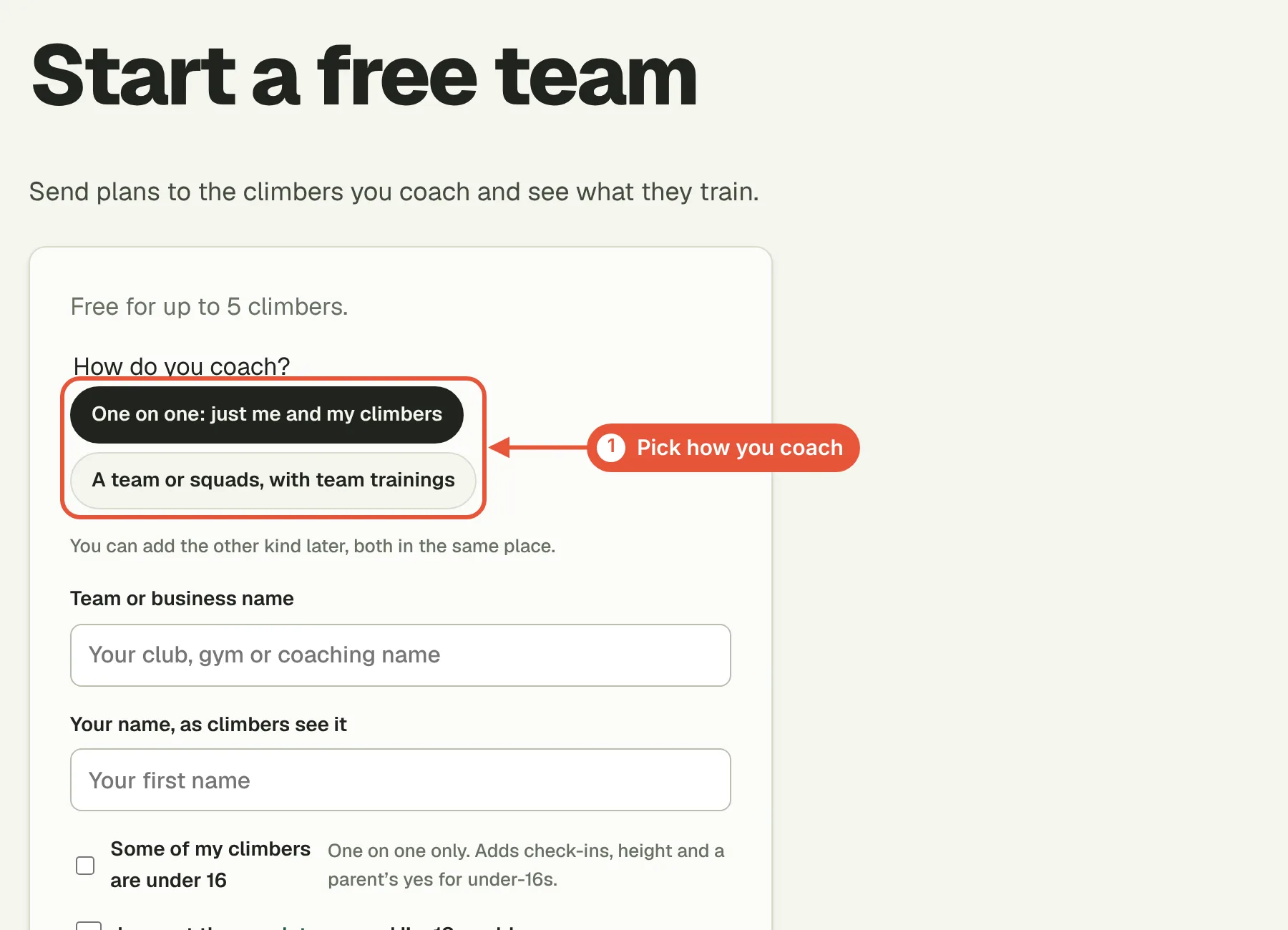
- Plans on their phone. Write a plan for each climber, or start from one in your library. Each session is spelled out in their app, and when you change a day it changes there too.
- Their training back to you. Sessions, boulders, effort and notes as they log them, their tests (Tindeq force tests included) and Workload against their own usual week.
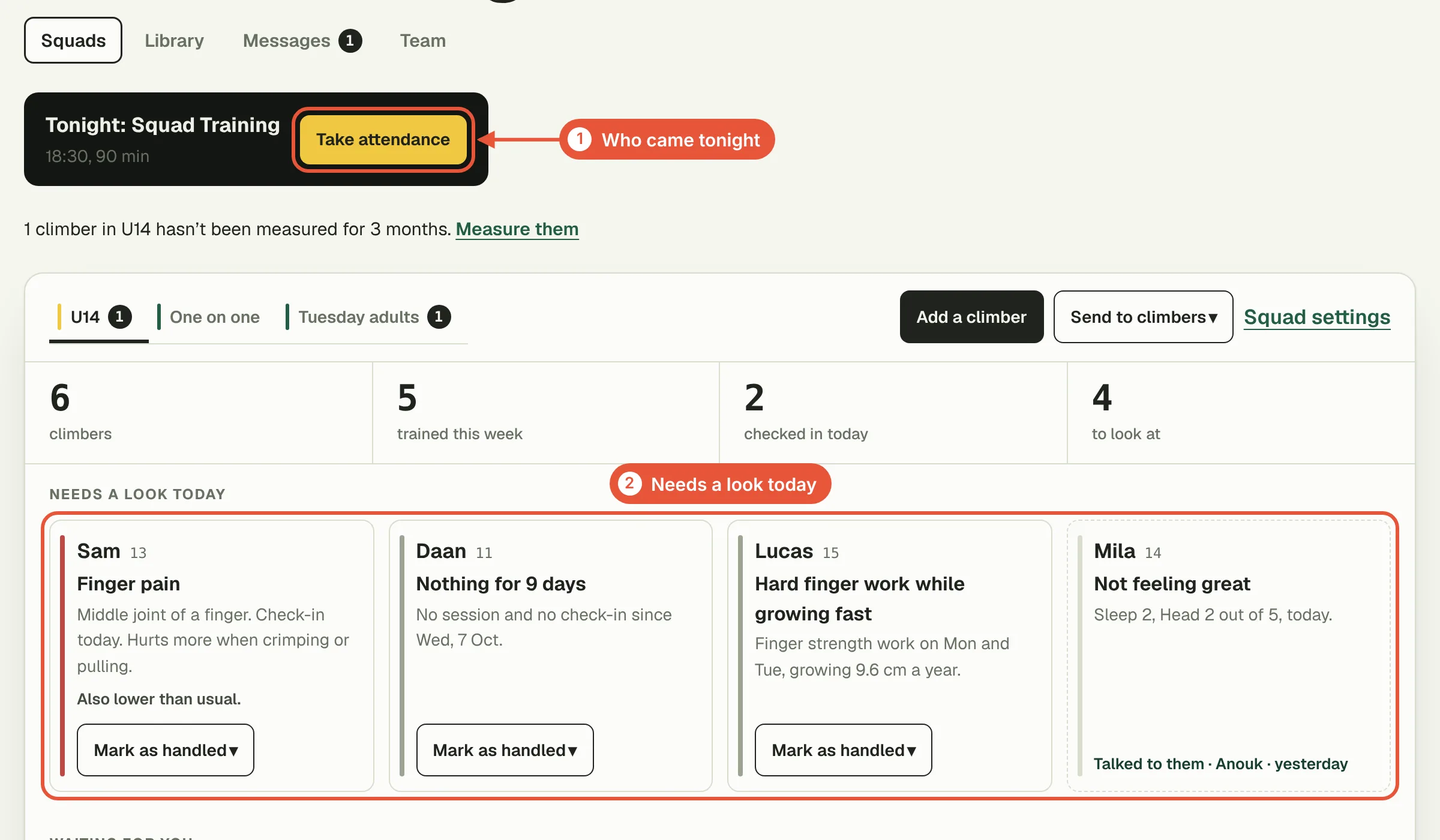
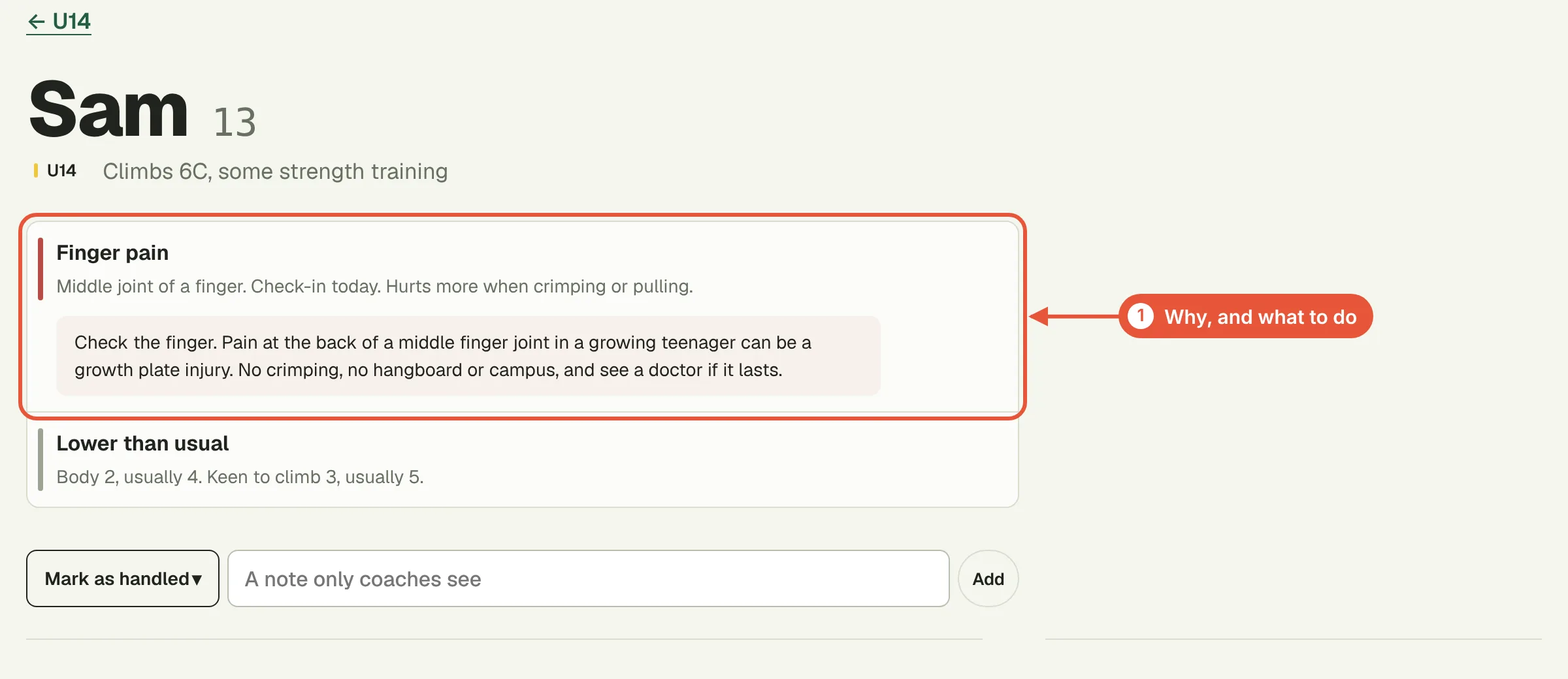
- Who needs a word. A short check-in before training asks about sleep, body, head, how keen they are and whether anything hurts. Finger pain goes to the top of your screen.
- Tests on request. Ask a climber or a squad for any of the five built-in tests or tests of your own, and see which are done.
- Your own exercises, with a short video only your climbers can watch.
One on one or squads

Most coaches start one on one: add each climber by name, write their plan before they join, and send them their own link. Clubs and gyms run squads as well, adult or youth, with weekly team trainings and attendance. For climbers under 16 a parent says yes by email before you see anything. Head coaches see every squad; other coaches see the squads they're given.
What you see, and what you don't
You see their logbook from the last 12 months, their tests and Workload, their check-ins, the plans you sent and which sessions they logged against them, and their grade and strength training experience. You don't see plans they made themselves, old injuries, their sex, cycle tracking, or anything from Apple Health or Health Connect. Check-ins are deleted after 12 months, and data is kept on a server in the EU.
In the browser and at the gym
Write plans at a desk in the browser at bloksessions.com/coach. At the gym, switch the iPhone app to coach view for tonight's team training, who's there and the timer for the group.
Where it stops
There's no plan generator for coaches, no live chat (messages work like short emails, and only with adults), and no way to take payment from your climbers. It shows what climbers report and flags finger pain so you can talk to them; it doesn't diagnose anything. If you're weighing it against general coaching software, the comparison says where each one fits.
Questions
Do my climbers have to pay?
No. They use the free app. On a paid plan they also get the guided timer for the plans you send and their own Workload, free, for as long as they're with you.
How much is it?
Free for up to 5 climbers. Then €10 a month or €99 a year for up to 25, €18 or €179 for 50, €30 or €299 for 100, and €699 a year with no limit. BTW is included, and every plan has room for as many coaches as you like.
Does it write plans for me?
No. You write each plan, start from one in your library, or copy one climber's plan for another and change it.
Can a climber change a plan I sent?
They log against it, and only you change it. If they want something else, they can make a plan of their own next to yours, which you don't see.
Do they need an iPhone?
No. There's an Android app too, and climbers without either can join and train in the web app at bloksessions.com/app with the same account.
Coach your first 5 climbers free
Write each climber's plan, see what they log and read their check-ins before training. Paid plans start at €10 a month for up to 25 climbers.
Free for up to 5 climbers